



What is this Solitaire?
This is Solitaire unblocked: the Klondike game loads straight from playsolitaire.ee in your browser, so you can play Solitaire online free on a school Chromebook, a laptop or a phone with no download and no sign-up.
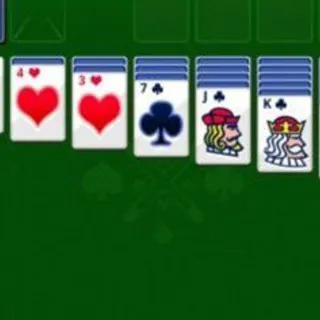
The table above is Klondike, the seven-column solitaire that every operating system, phone and search engine has shipped at some point, and this build is the one that lives inside a Google search: the felt-green board, the Easy / Hard choice on the way in, and the strip across the top with a running clock, your score and your move count. A deal takes a second, a win takes a few minutes, and a lost cause takes one press of New.
Fifty-two cards, no jokers. Twenty-eight are dealt into seven columns of growing length with only the last card of each face up; the other twenty-four sit face down in the stock at the top left. The four empty slots at the top right are the foundations, and the whole game is filling them ace to king, one suit each. The plainer Solitaire we host elsewhere plays the same rules without the scoreboard; this one keeps count.
How to play
Choose a difficulty and the deal animates out. Every legal move is then one of four things: turn cards from the stock into the waste pile, move a card (or a run) between columns, move a card up to a foundation, or bring one back down. Columns are built downward in alternating colors — red seven on black eight — and an emptied column can only be refilled with a king. When the stock runs dry, a tap on the empty slot turns the waste pile over, as many times as you need.
Controls
| Action | Mouse | Touch |
|---|---|---|
| Turn cards from the stock | Click the stock pile | Tap the stock pile |
| Move a card or a run between columns | Drag and drop | Drag and drop |
| Auto-play the top waste or foundation card | Single click | Single tap |
| Auto-play a face-up column card (Easy only) | Single click | Single tap |
| Take back a move | UNDO button | UNDO button |
| Start over on Easy or Hard | NEW button | NEW button |
| Mute / unmute the sounds | Speaker icon, top right | Speaker icon |
The scoreboard
The clock starts with the deal and runs in hours, minutes and seconds until the last card lands. The score is a straight tally: +5 for a waste card played to a column, +10 for a waste card played to a foundation, +15 for a column card sent to a foundation and +5 every time a face-down card is revealed. Pulling a card back off a foundation costs 15, and on Easy each recycle of the waste pile costs 100 (never below zero); Hard charges nothing for the recycle. Moves count each action, and Undo rewinds all three numbers together. There are no keyboard shortcuts and no hint button.
Tips and strategy
- Draw from the stock only when the columns are exhausted. A move that reveals a face-down card beats a draw in both points and information.
- On Hard, count in threes. The order of the waste pile only shifts when you play a card out of it, so note which cards are buried at positions two and three of each fan and plan the play that unlocks them.
- Do not rush the foundations past the twos and threes. A red four on the foundation cannot hold a black three that needs a home; the 15 points can wait until the column beneath is clear.
- Save the empty column for a king with a queen attached. A lone king parked early usually just moves the blockage from one column to another.
- Use Undo to look. Turning a card, seeing what was under it and stepping back costs nothing and tells you whether a column is worth digging.
- Avoid the recycle on Easy. The 100-point charge is the biggest swing on the board; one careful pass through the stock is often enough.
- Chasing time? Play on Easy with clicks. The single-click auto-move is the fastest way to move cards, and it only exists in Easy mode.
A short history
Solitaire card games (patience, in British usage) first appear in print in northern Europe in the late 1700s, and the Klondike layout takes its name from the 1890s gold rush, where it was reputedly a favorite of prospectors with time on their hands. It reached most of the planet through Microsoft Windows, which bundled a Klondike game from Windows 3.0 in 1990 onward and used it to teach a generation to drag and drop. In 2016 Google added a playable solitaire to its search results, and it is that browser edition — Easy and Hard buttons, the ribbon at the end and all — that runs on this page.
About this version
This is the Google Search solitaire game, served from its own compiled JavaScript, a single card sprite sheet and three sound files (shuffle, flip and the win fanfare), so it loads fast on a school Chromebook or a phone. It includes the Easy and Hard modes, the timer, score and move counter, unlimited Undo, the New-game dialog and the full win animation. It does not include a daily deal, hints, statistics or saved games: every deal is shuffled at random and nothing is written to your browser. The share row on the difficulty screen and the close icon in the top bar are leftovers from the search embed and do nothing here. For a quieter puzzle with fewer numbers, try Mahjong or Minesweeper.
Frequently asked questions
How do I start playing Solitaire on this page?
The game opens on a Choose your difficulty screen. Pick Easy or Hard and the cards deal themselves onto seven columns; the timer starts at the same moment. There is nothing to install and no account to make.
Is Solitaire unblocked at school?
This Klondike Solitaire runs in an ordinary browser tab from playsolitaire.ee, with nothing to download or install, so it plays on most school Chromebooks and work computers. If a network filter blocks the site, only that network's administrator can change it.
Does Easy mean an easier shuffle?
No, the shuffle is random in both modes. Easy turns a single card each time you tap the stock, so everything in the deck is reachable on every pass. Hard turns three at once and only the top card of the fan is playable, which is exactly how the draw-three variant has always worked.
How is the score worked out?
Playing a card from the waste pile to a column earns 5 points and to a foundation 10; a card that goes from a column straight to a foundation earns 15, and each face-down card you turn over adds 5. Pulling a card back off a foundation costs 15. On Easy, sending the exhausted waste pile back to the stock costs 100 points; on Hard that recycle is free.
Is the undo unlimited, and does it hurt my score?
You can step back all the way to the deal, one move at a time. Undo rewinds the score and the move counter along with the cards, so it neither adds a penalty nor lets you keep points from a move you took back. The button greys out when there is nothing left to undo.
Can I click a card instead of dragging it?
On Easy, a single click or tap on a face-up card in a column sends it to a foundation if it fits there, or to another column if it does not. On Hard that shortcut is off for the columns and you have to drag; the top card of the waste pile and any foundation card still move with one click in both modes.
What happens when I win?
As soon as every card in the columns is face up, the game finishes itself: it flips the last cards, flies everything to the four foundations, plays the win sound and drops a YOU WIN ribbon over a cascade of cards. A few seconds later a Play again? panel comes up with the Easy and Hard buttons.
Can I turn the sound off?
Yes. The speaker icon at the top right toggles the three sound effects: a shuffle on every deal, a flip on every card move and the fanfare at the end. Muting changes nothing about the score or the timer.
Does the game remember a half-finished deal?
No. Nothing is stored in your browser, so closing the tab ends that game and the next visit starts on the difficulty screen again. Clock, score and moves all reset with every new deal.